


Softacus VCS

Softacus Version Control System supports requirements reuse in IBM DOORS Next. It helps teams copy, compare and review modules, then deliver selected changes across project areas, components and configurations.
About this offering
Adopt selected changes into reused requirementsWorkflow at a glanceTechnical boundariesA practical questionPrepare a qualified evaluationCommercial scope and next step
Adopt selected changes into reused requirements
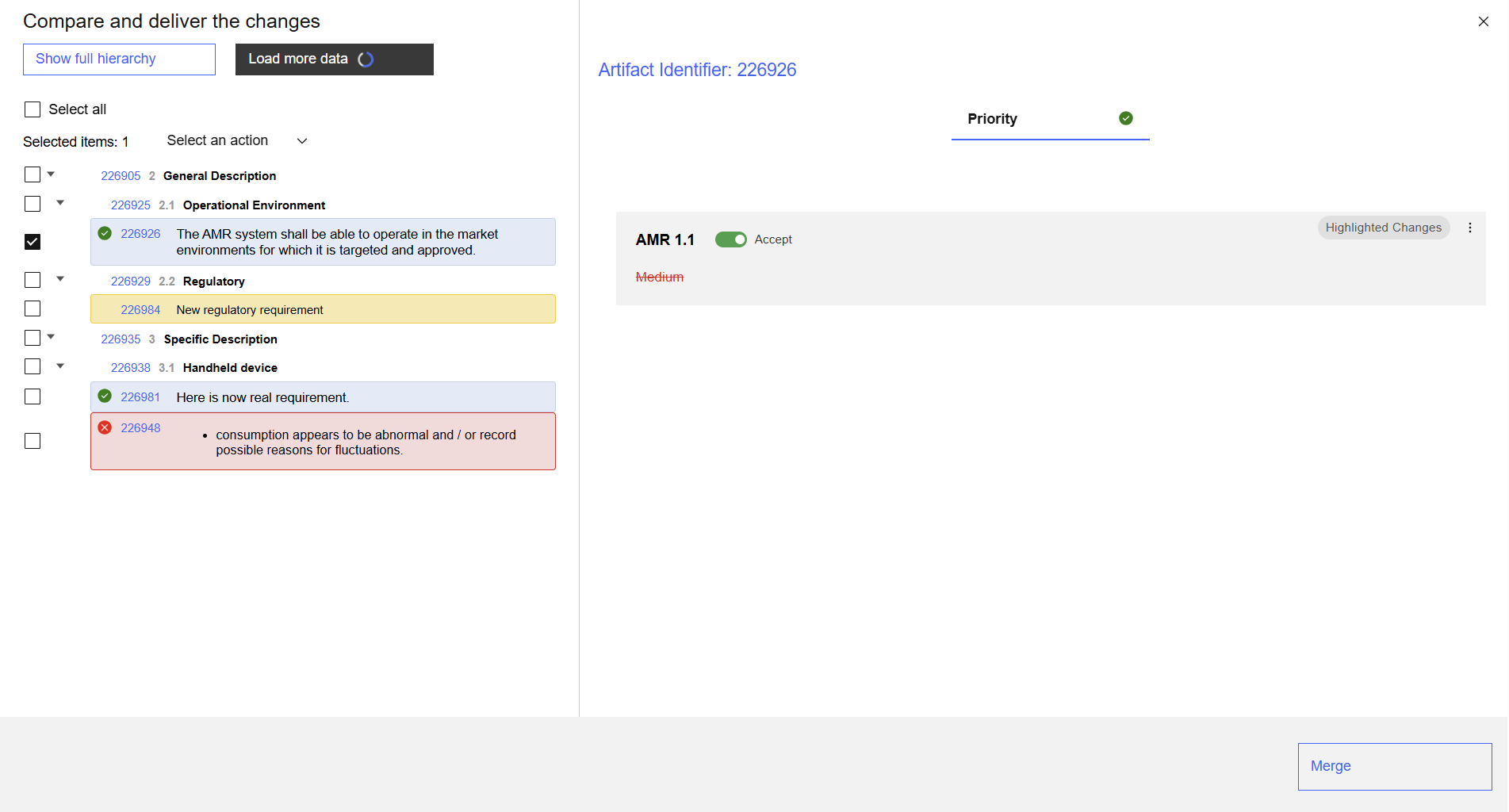
Softacus VCS supports comparison and selected change delivery between IBM DOORS Next modules. Teams maintaining copied templates, supplier-specific modules or shared requirements can decide which source changes belong in a target.
Users compare chosen attributes, inspect added, removed and changed artifacts, and accept changes to deliver. Saved profiles retain setup for subsequent comparisons.
Workflow at a glance
- Select the context.Start from the target and choose source module, configuration and comparison attributes, optionally from a profile.
- Review differences.Select artifact or attribute changes to accept.
- Deliver selected changes.Apply the accepted scope and inspect results and warnings.
Technical boundaries
Configured DOORS Next-to-DOORS Next scenarios can span servers. Broader cross-Jazz-instance arrangements are adaptations to assess. Comparison review state is separate from native DOORS Next Reviews. VCS does not change native change-set dependency rules.
A practical question
Is a saved profile mandatory?
No. Users can select the comparison context without one.
Prepare a qualified evaluation
Distinguish initial reuse from later updates. Supply an anonymised source change, local target change and desired outcome. Identify decision-relevant attributes, approval responsibility and content that must remain local. These are evaluation inputs, not assurances about an untested configuration.
Commercial scope and next step
Confirm licence price, included adaptations, implementation and support SLA alongside releases, permissions and deployment. Describe source/target servers, configurations, reuse rules and acceptance criteria for a representative comparison.
Related options to compare
- Compare Module Across Configurations — Reuse and compare requirements. Review changed, added and removed requirements by comparing a DOORS Next module across configurations.
- Module Baselines — Reuse and compare requirements. Create baselines from a DOORS Next module and navigate the baseline list maintained by the extension.
These are editorial suggestions for related scenarios; they do not imply a shared licence or a product integration.
Source: Official documentation.
