


Module Link Statistics

Module Link Statistics charts traceability coverage and link validity for selected artifact and link types in DOORS Next. It provides a module overview and lets users inspect the artifacts associated with chart segments.
About this offering
Inspect traceability coverage inside the moduleWorkflow at a glanceWhat the charts showTechnical fit and boundariesA practical questionCommercial scope and next step
Inspect traceability coverage inside the module
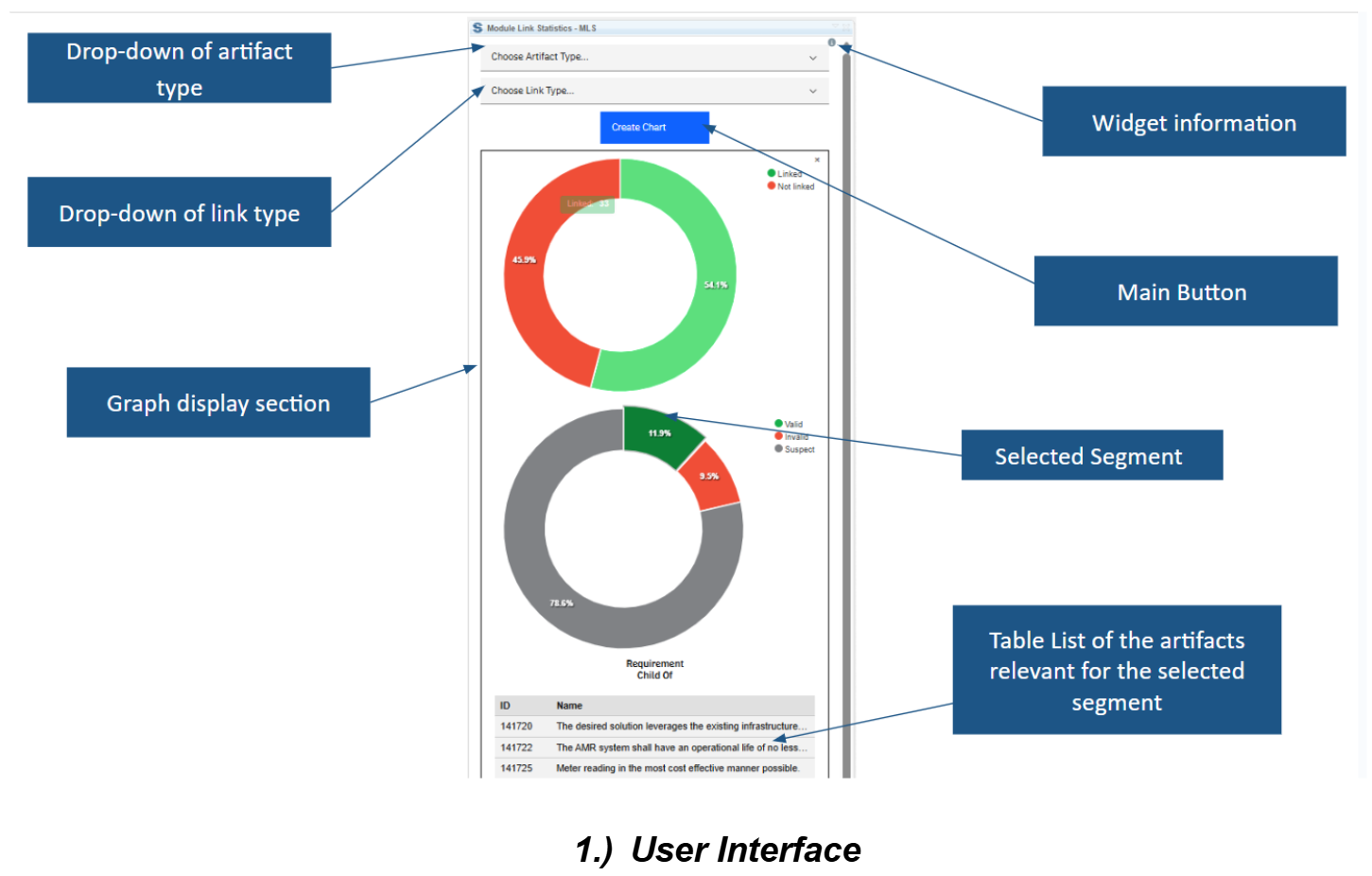
Module Link Statistics visualises relationships in an IBM DOORS Next module. Engineers choose artifact and link types to inspect which artifacts have that relationship and how processed links are marked for validity.
Charts support focused review without first building a Report Builder report. Link presence alone does not prove relationships are meaningful or the specification is complete.
Workflow at a glance
- Define the question.Select the artifact and relationship types.
- Generate the overview.Create linked-versus-unlinked and validity charts.
- Investigate exceptions.Select a segment to display IDs and names, then navigate to the relevant artifact.
What the charts show
- Counts and percentages with or without the selected link type.
- Recorded valid, invalid and suspect link states.
- Interactive artifact lists behind chart segments.
- Multiple requests and cached selections for repeated reviews.
Technical fit and boundaries
The extension runs inside a module with requirements-management links. Cross-application links are not supported. It recognises configuration context and supports movement between modules, but available artifact and relationship types determine meaningful selections. Confirm supported releases and installation.
A practical question
Can it chart requirements-to-test links in another application?
No. Cross-application links are outside the documented scope and need another reporting route.
Commercial scope and next step
Confirm eligibility, deployment assistance, support and charges. Supply artifact types, relationship directions, configuration context and the review questions the dashboard must answer.
Related options to compare
- Show Linked Attributes — Build and maintain traceability. Display selected requirement attributes alongside attributes from linked artifacts while working in a DOORS Next module.
- Embedded Picture Link — Build and maintain traceability. Find embedded images in DOORS Next modules and create links to their underlying artifacts.
These are editorial suggestions for related scenarios; they do not imply a shared licence or a product integration.
Source: Official documentation.
