


HTML To Formatted Text

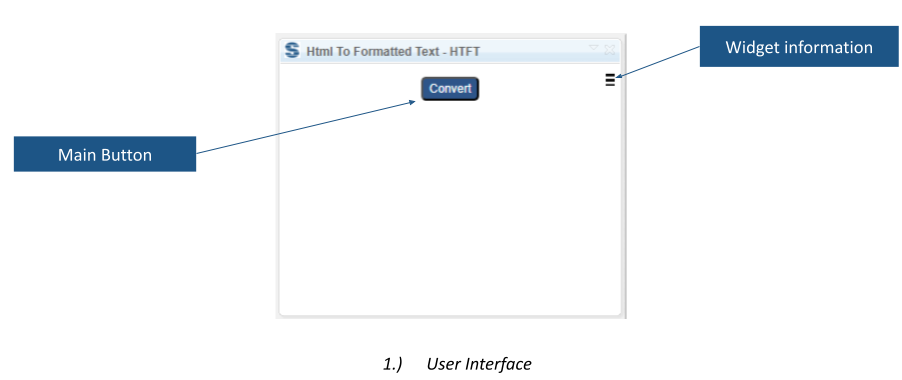
HTML To Formatted Text converts HTML-formatted content into rich text that can be saved in DOORS Next. It supports processing selected artifacts or a complete module as part of content preparation.
About this offering
Turn imported HTML into readable requirementsWorkflow at a glanceTechnical fit and boundariesQuestions to resolveCommercial scope and next step
Turn imported HTML into readable requirements
HTML To Formatted Text converts HTML stored in IBM DOORS Next artifact content into rich text suitable for saving in the application. It is useful for requirements engineers cleaning up an import that left markup instead of ready-to-read requirement content.
The input is HTML-formatted text already present in module artifacts. The result is formatted artifact content, reducing manual removal of tags and reconstruction of presentation. It does not replace the earlier import or establish a complete migration route.
Workflow at a glance
- Identify the imported content.Open the affected module and determine which artifacts need conversion.
- Choose the scope.Select individual artifacts or the documented whole-module scope.
- Convert and inspect.Run the extension and review representative results before processing further content.
Technical fit and boundaries
The extension requires module context. The public description does not provide an exhaustive list of supported HTML elements, formatting exceptions or supported releases. Include tables, nested formatting and other important structures in an evaluation sample. Installation and editing permissions must be confirmed.
Questions to resolve
Will every HTML construct be preserved?
Universal HTML coverage is not established. Validate the constructs your requirements contain.
Can conversion be limited to selected artifacts?
Yes. The documented scope includes selected artifacts and an entire module.
Commercial scope and next step
Softacus publishes extension eligibility conditions for certain licence and service customers. Eligibility, installation assistance, support and charges require confirmation. Provide the DOORS Next release, an anonymised HTML sample, module size and the formatting that must survive conversion.
Related options to compare
- Split and Join — Transform and structure requirements. Split requirement content into separate artifacts or combine selected artifacts within a DOORS Next module.
- Artifact Generator — Transform and structure requirements. Compose requirement text from predefined sentence elements and create or update artifacts in DOORS Next.
These are editorial suggestions for related scenarios; they do not imply a shared licence or a product integration.
Source: Official documentation.
