


DOORS ID Generator

DOORS ID Generator creates custom identifiers for DOORS Next artifacts using module-defined prefix and postfix values. It supports an established identifier convention within a selected module and view.
About this offering
Add a recognisable requirement identifierWorkflow at a glanceInputs and resultsTechnical fit and boundariesEvaluation questionsPlan your evaluation
Add a recognisable requirement identifier
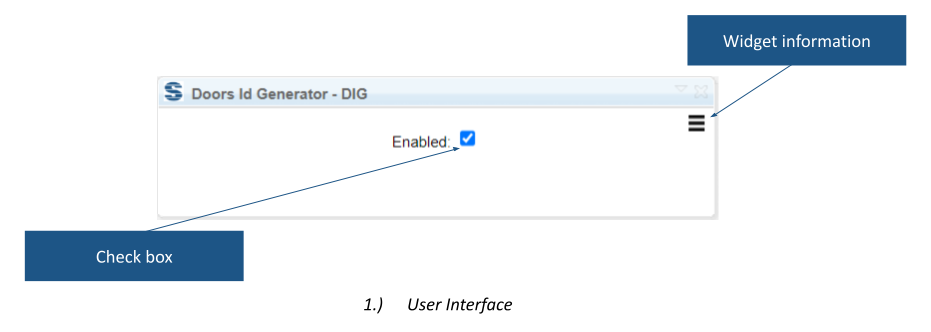
DOORS ID Generator writes a custom identifier into the Requirement ID attribute in IBM DOORS Next. Its documented format combines a module-defined prefix, native artifact ID and postfix: PREFIX-ID-POSTFIX. It suits teams using project or module naming conventions, including teams moving from DOORS Classic. Module attributes provide context for consistently assembling the displayed identifier.
Workflow at a glance
Editorial overview based on vendor documentation.
- Prepare attributesCreate and assign Requirement ID to relevant artifacts, and Prefix and Postfix to modules.
- Choose the scopeOpen the module and select the required view.
- Generate and verifyRun the widget and compare identifiers with the naming convention.
Inputs and results
Inputs are the artifact ID and module Prefix/Postfix values. Output is the generated Requirement ID value. Changing underlying resource identity or URI is not documented.
Technical fit and boundaries
Required attributes must be created and assigned in the project or component. A module and selected view are required. Confirm release, installation, attribute types and editing rights. Where modules share artifacts or conventions differ, agree which context determines the value.
Evaluation questions
Does this replace the native ID? No replacement is documented; the widget writes a separate attribute. Can it use independent number sequences? Only PREFIX-ID-POSTFIX is established; other algorithms need confirmation.
Plan your evaluation
Send naming examples, Prefix/Postfix values, attribute definitions, view scope, reuse context and release. Confirm vendor eligibility, configuration, installation and support in the offer.
Related options to compare
- Artifact Generator — Compose structured requirements before applying an agreed identifier convention.
- Attribute Processor — Use CONCAT for a general composite text field rather than the dedicated identifier format.
These are editorial suggestions for related scenarios; they do not imply a shared licence or a product integration.
Source: Official documentation.
