


FMEA Analysis

FMEA Analysis supports a configured risk calculation within DOORS Next modules. It derives a risk attribute from defined input values and uses colour to indicate the corresponding risk classification.
About this offering
Display a configured risk result beside requirementsWorkflow at a glanceInputs and resultsTechnical fit and boundariesEvaluation questionsPlan your evaluation
Display a configured risk result beside requirements
FMEA Analysis adds configured risk calculation and visual classification to an IBM DOORS Next module. Inputs include severity of harm, exposure, occurrence probability and the possibility of avoiding danger. Analysts use an agreed method represented in artifact attributes, reviewing inputs and calculated values alongside requirements. Method selection and safety decisions remain engineering responsibilities.
Workflow at a glance
Editorial overview based on vendor documentation.
- Agree the modelDefine inputs, result attribute, calculation and thresholds.
- Test calculationsCompare representative outputs with independently expected values.
- Review in contextInspect classifications alongside requirements and record decisions through the established process.
Inputs and results
Inputs are risk attributes; outputs are calculated values and browser-rendered colours. Documentation examples do not establish a universal method or certification.
Technical fit and boundaries
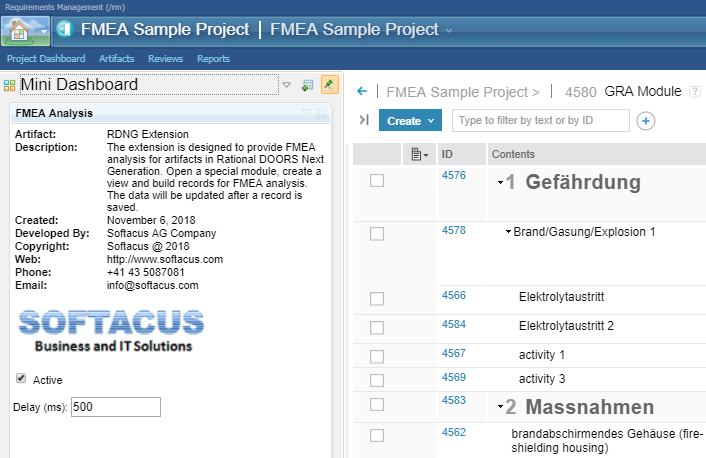
The extension is module-only. Open the gadget at least once per browser session. Colouring has a delay that may need adjustment for slow responses. Selecting an artifact can mask its risk colour with the DOORS Next highlight. Colour alone should not be evidence of the stored result. Confirm release and configuration.
Evaluation questions
Does it establish safety compliance? No; independently validate the method and results. Why can selection hide colour? Selection highlighting can cover it; deselection or reload restores the documented display.
Plan your evaluation
Provide formulas, thresholds, attributes, test cases, review process and evidence needs. Agree configuration, validation responsibilities, eligibility and support; no safety outcome is guaranteed.
Related options to compare
- FMEA Widgets — Compare configured variants offering FMEA tables, mitigation representations or module colouring.
These are editorial suggestions for related scenarios; they do not imply a shared licence or a product integration.
Source: Official documentation.
