



POWERSHEET

Nextedy POWERSHEET gives Polarion teams an Excel-like grid for creating, editing and tracing live engineering work items across requirements, design, tests and risks.
About this offering
OverviewLive grid editingWorking sessions and explicit savingArchitecture and configurationAI assistance for traceabilityExporting sheet contentPolarion compatibilityYour offer through Lux Altus
Overview
Nextedy POWERSHEET gives Polarion teams an Excel-like grid for creating, editing and tracing live engineering work items across requirements, design, tests and risks.
Live grid editing
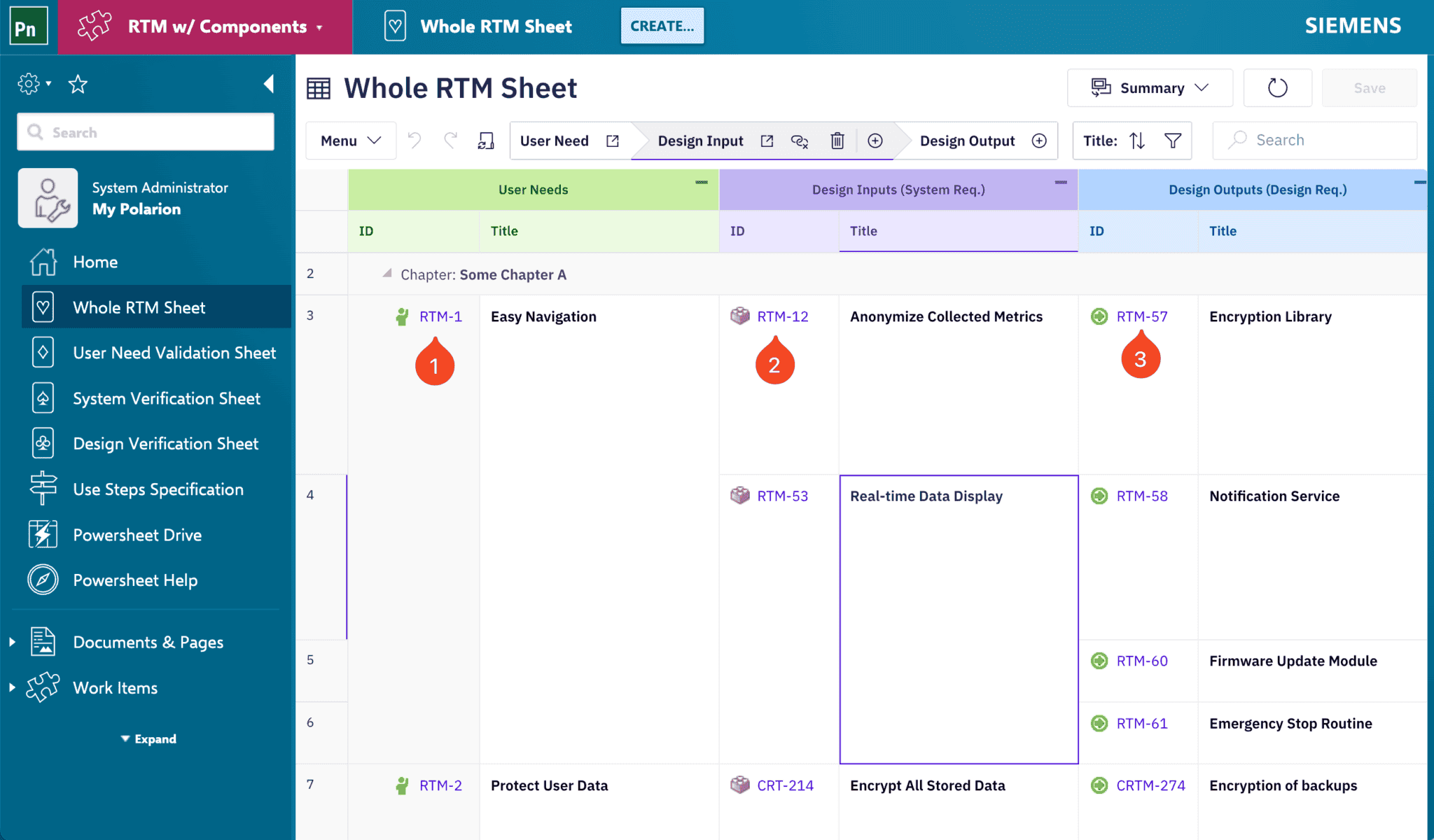
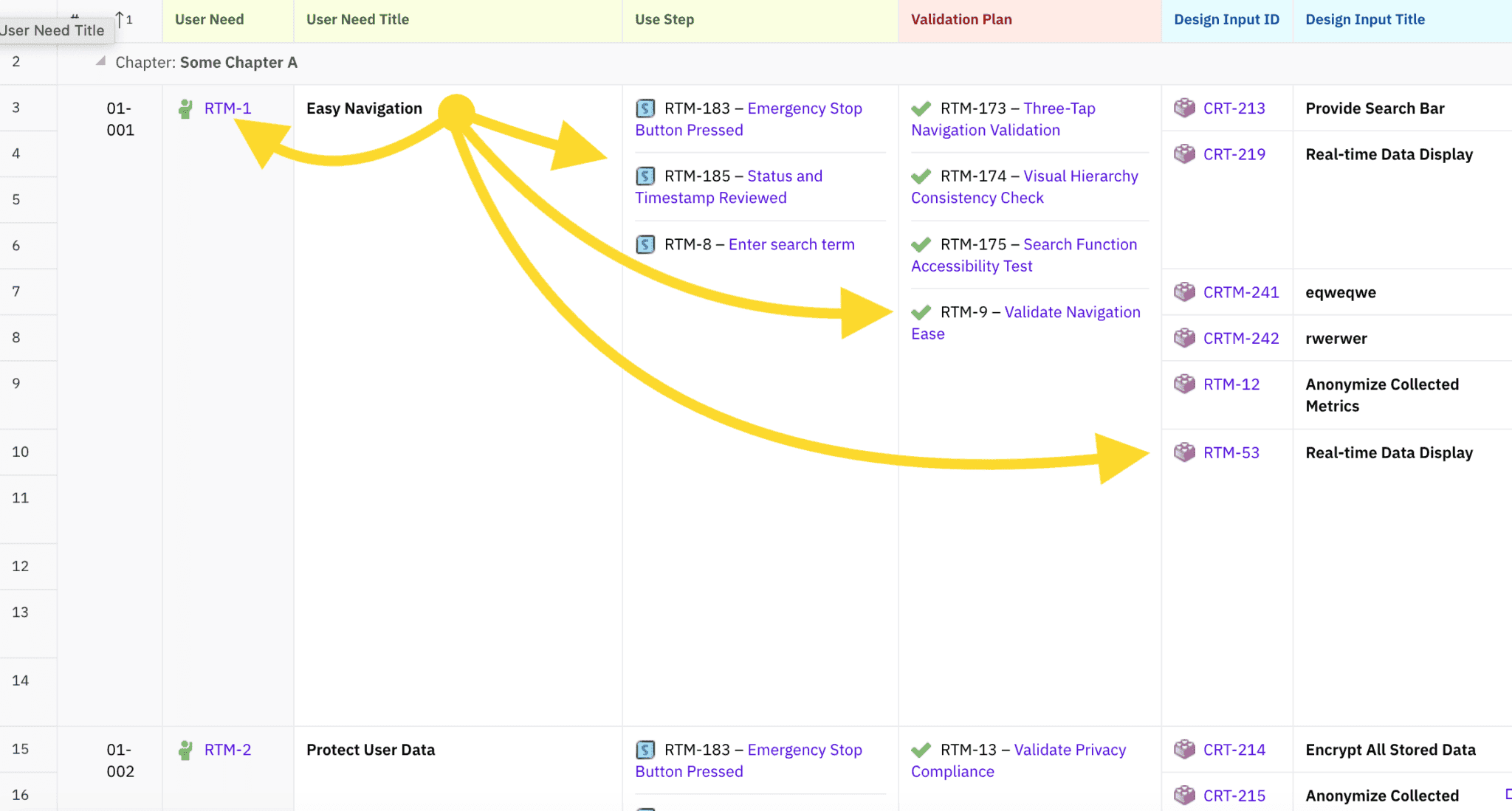
Users sort, filter, copy and paste, create records and edit values in a tabular interface. Multi-level views expose user needs, requirements, design and test evidence together. A missing trace link appears as an empty cell that can be addressed from the sheet. YAML configuration defines traceability matrices, risk-test matrices and hazard trees.
Working sessions and explicit saving
The working-session documentation describes a load phase, a local change buffer and an explicit save phase. Pending changes can be reviewed before they are committed to Polarion. It also documents last-write-wins behavior for concurrent edits, distinguishing the on-screen working session from the engineering record already stored on the server.
The working-session guide states that refreshing or closing the page discards the unsaved buffer. Saves are processed per entity and can partially persist; changes made by other users require a reload to appear.
Architecture and configuration
A browser client works with the Polarion server extension; the product does not use a separate data store for the engineering artifacts. Configurations control the model, routing of new artifacts and permitted linking structures. The architecture guide describes security, safe rendering and the privileged nature of scriptable configuration.
AI assistance for traceability
The vendor describes an AI Assistant that understands requirements, design, tests, risks and their links. It proposes missing links, uncovered requirements and orphaned tests with reasoning and contextual sources. Engineers review suggestions and decide which links to apply; AI does not sign off.
Exporting sheet content
POWERSHEET exports the active view to Excel (.xlsx), preserving visible columns, hierarchy, grouping and cell formatting. The documentation states that it has no built-in PDF export; a PDF can be produced with the browser’s Print or Save as PDF, whose layout depends on the browser.
The Excel guide documents truncation beyond Excel’s 32,767-character cell limit and export of URLs as plain text.
Polarion compatibility
Nextedy states that its products support Polarion versions officially supported by Siemens, plus one additional year, and are compatible with the newest Polarion release when it is released. Its documentation illustrates this policy with Polarion 2304 and 2310.
Your offer through Lux Altus
Ask Lux Altus for a tailored proposal. We aim to negotiate more favourable commercial terms for your requirements, with the available conditions confirmed in your individual offer.
Sources: Nextedy product page; Nextedy documentation 1; Nextedy documentation 2; Nextedy documentation 3; Nextedy documentation 4; Nextedy documentation 5.
