



CHECKLIST

Nextedy CHECKLIST binds structured checklists to Polarion workflow transitions, supporting mandatory completion gates, controlled templates and recorded review states.
About this offering
OverviewChecklist scope and statesWorkflow gates and frozen evidenceSeparate checking and editing permissionsReports and wider visibilityInstallation and compatibilityYour offer through Lux Altus
Overview
Nextedy CHECKLIST binds structured checklists to Polarion workflow transitions, supporting mandatory completion gates, controlled templates and recorded review states.
Checklist scope and states
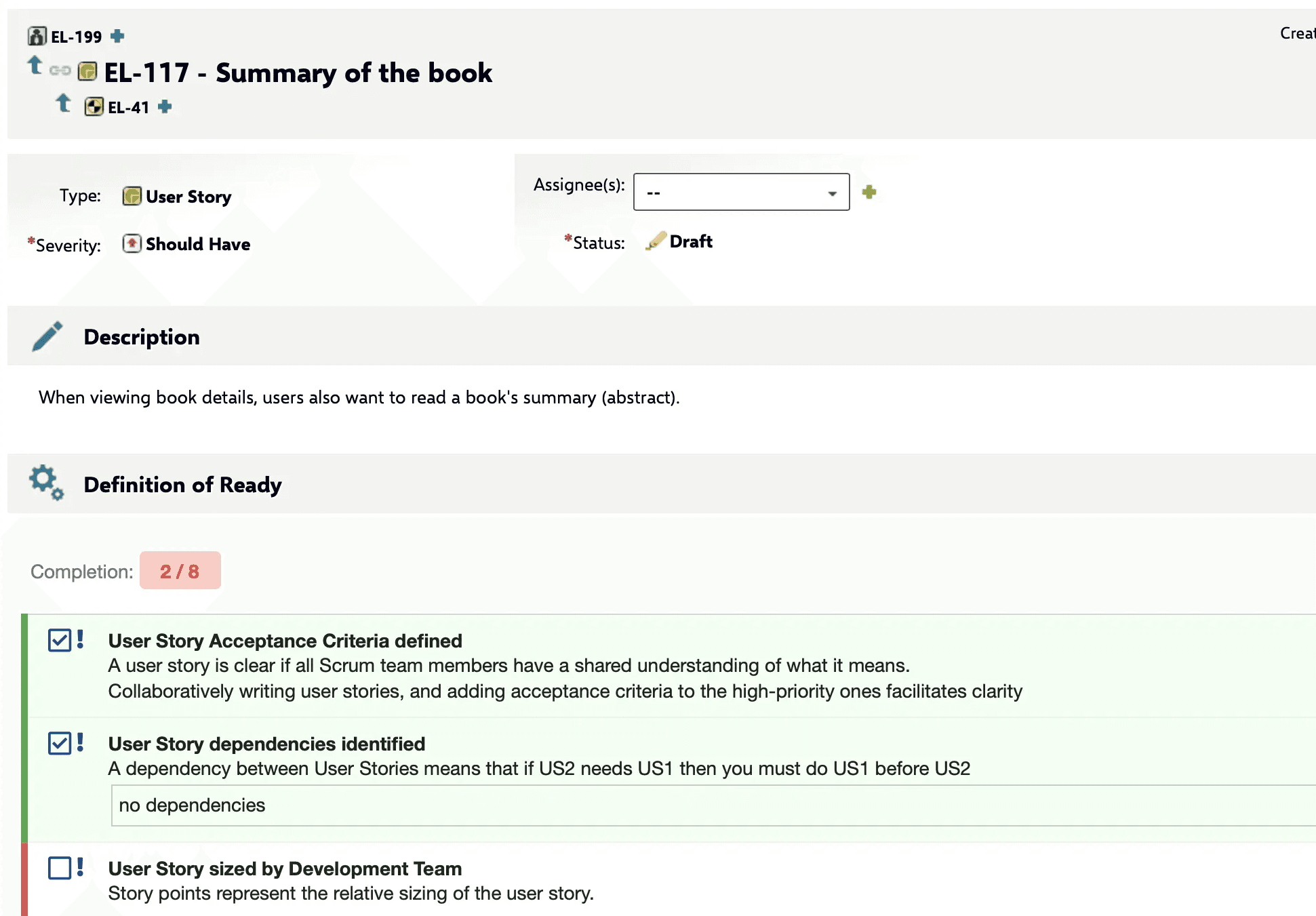
Definition-of-Done and Definition-of-Ready templates can be reused across work items, LiveDocs, test runs and plans. Updating a linked template propagates its structure to the associated objects. Available states include Checked, Conditional, Rejected, Information and None, allowing more detail than a binary checkbox.
Workflow gates and frozen evidence
A checklist can prevent a configured workflow transition until all mandatory items are completed. Checklist states can be frozen and compared across baselines to retain the state used in a review. The workflow guide describes how gates are configured and verified.
The workflow guide distinguishes freezing template re-synchronization or definition from permissions. Freezing alone does not block manual structural changes; the documented adminPermission controls those changes.
Separate checking and editing permissions
Permission configuration separates the right to check an item from the right to change the checklist structure. This lets teams preserve an approved structure while allowing authorized participants to complete its checks.
The permissions guide states that CHECKLIST does not provide a built-in per-checklist-item user-and-timestamp audit trail.
Reports and wider visibility
The reporting guide describes rendering checklists on report pages and exposing checklist status outside the original object. The shared framework makes completion information available across the supported Polarion object types.
A read-only LiveReport script can render checklists. Summary custom fields expose counts in tables across objects, while live progress at individual checklist-item level in a table requires Velocity scripting.
Installation and compatibility
The installation guide covers deploying CHECKLIST and confirming its status in Polarion. Nextedy states that its products support Polarion versions officially supported by Siemens, plus one additional year, and are compatible with the newest Polarion release when it is released. Its documentation illustrates this policy with Polarion 2304 and 2310.
The guide separates installation of the server plugin from custom-field, form and wiki-page configuration.
Your offer through Lux Altus
Ask Lux Altus for a tailored proposal. We aim to negotiate more favourable commercial terms for your requirements, with the available conditions confirmed in your individual offer.
Sources: Nextedy product page; Nextedy documentation 1; Nextedy documentation 2; Nextedy documentation 3; Nextedy documentation 4; Nextedy documentation 5.
