


Image Gallery

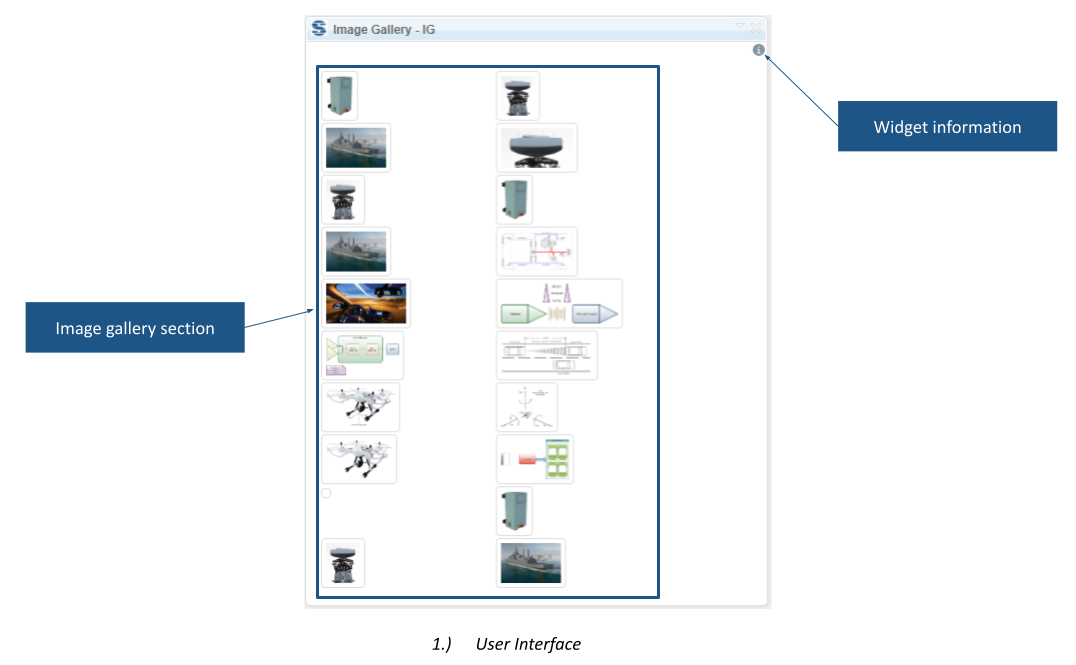
Image Gallery shows thumbnails from one or more selected DOORS Next folders in the mini dashboard. Selecting an image reveals its artifact context, helping users inspect stored image files.
About this offering
Find project images without opening every fileWorkflow at a glanceWhat it displaysTechnical fit and boundariesA practical questionCommercial scope and next step
Find project images without opening every file
Image Gallery displays pictures stored in selected IBM DOORS Next folders as thumbnails in the mini dashboard. Requirements authors and reviewers can inspect visual material alongside their workspace instead of opening each file artifact separately.
When diagrams or reference pictures are distributed across several project or component folders, selecting multiple folders brings their images into one overview. Selecting an image provides its artifact context, helping the reviewer identify the corresponding record.
Workflow at a glance
- Select the folders.Choose one or more folders containing image artifacts.
- Inspect the gallery.The widget displays thumbnails automatically in response to the selection.
- Locate the artifact.Select an image to identify its corresponding artifact or change the folder selection.
What it displays
- Images from multiple selected folders in one dashboard view.
- Artifact context associated with an image.
- A message when the selection contains no displayable pictures.
Technical fit and boundaries
The documented input is an image whose Artifact Format is File. Images only embedded inside text artifacts are outside that stated scope. A complete image-format matrix, supported release list and installation topology are not specified. Confirm these details and access to the relevant folders.
A practical question
Does it collect every image appearing in requirements text?
No such capability is documented. Embedded-only images need a different workflow from File-format image artifacts.
Commercial scope and next step
Confirm Softacus extension eligibility, installation, support and charges. Provide the release, folder structure, representative formats and whether images are standalone file artifacts or embedded content.
Related options to compare
- Export Files — Manage supporting content. Export files from selected DOORS Next artifact types and folders.
- Embed Artifacts — Manage supporting content. Replace matching text with embedded artifacts or pictures in the primary text of DOORS Next modules.
These are editorial suggestions for related scenarios; they do not imply a shared licence or a product integration.
Source: Official documentation.
