SCHEDULER

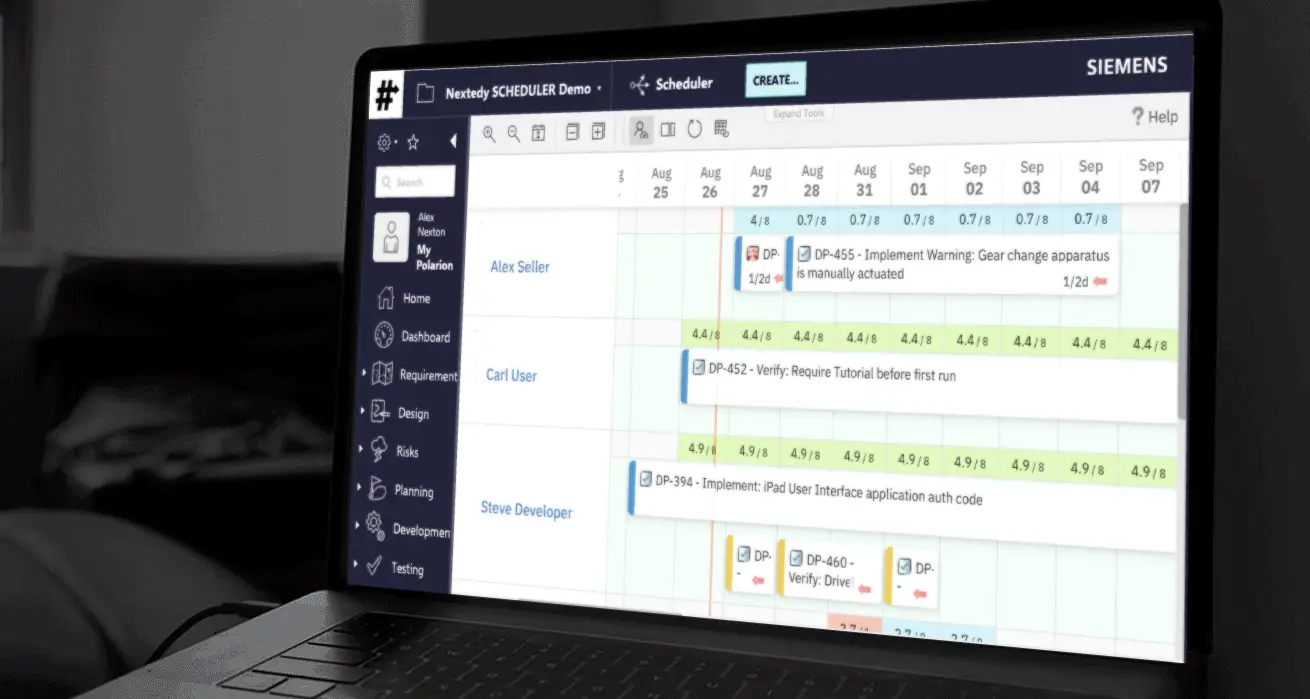
Nextedy SCHEDULER shows who is assigned to what work in Polarion and supports drag-and-drop rescheduling, reassignment and workload balancing.
About this offering
OverviewAssignments and schedulingCapacity and load calculationsDependency visualizationDeployment and first useYour offer through Lux Altus
Overview
Nextedy SCHEDULER shows who is assigned to what work in Polarion and supports drag-and-drop rescheduling, reassignment and workload balancing.
Assignments and scheduling
The scheduling surface supports one person working on several tasks and a task shared by several owners. Dragging changes timing, assignment or sequence directly on the Polarion work items. Assignment and dependency data remain in Polarion.
Boards can use user or enumeration swimlanes and an Unplanned backlog with filters. The documented board saves changes automatically without a Save button, can allow creation of new work items, and clears scheduling when an item is unplanned without deleting the work item.
Capacity and load calculations
The capacity guide explains the load marker and how task effort is converted into workload. These views make assignment pressure visible while teams adjust their plans, using the configured effort and capacity information.
The capacity guide spreads task effort evenly over working days. User capacity follows the Polarion calendar, while enumeration rows use 24 hours per day. Four color bands distinguish zero load, up to 50%, up to 100% and more than 100% of capacity.
Dependency visualization
The dependency guide distinguishes predecessor and dependent work items and explains the configured roles used for these relationships. Its overlay draws links for the items currently available in the view; visibility therefore follows the displayed scheduling context.
Both endpoints must be scheduled and visible for a dependency arrow to appear. The underlying links remain in Polarion when an item is unplanned.
Deployment and first use
The installation documentation covers prerequisites, deployment to the Polarion server, installation checks and an optional demonstration project. The product index describes scheduling tasks and supported workflows. Nextedy states that its products support Polarion versions officially supported by Siemens, plus one additional year, and are compatible with the newest Polarion release when it is released. Its documentation illustrates this policy with Polarion 2304 and 2310.
Your offer through Lux Altus
Ask Lux Altus for a tailored proposal. We aim to negotiate more favourable commercial terms for your requirements, with the available conditions confirmed in your individual offer.
Sources: Nextedy product page; Nextedy documentation 1; Nextedy documentation 2; Nextedy documentation 3; Nextedy documentation 4; Nextedy documentation 5.